



The new imc STUDIO 2023 measurement software
imc STUDIO, the comprehensive test and measurement software for the entire measurement process, is now available in its latest version 2023.
For test engineers working with imc data acquisition systems and data loggers, this new version will boost usability and efficient workflow for both new and experienced users. The intuitive approach to the software’s comprehensive functionalities provides immediate results when setting up and managing DAQ equipment, operating measurements, or complex testing procedures.
Older Versions
Quick start and improved workflows
Users that are new to imc STUDIO are supported with new wizards and assistants.
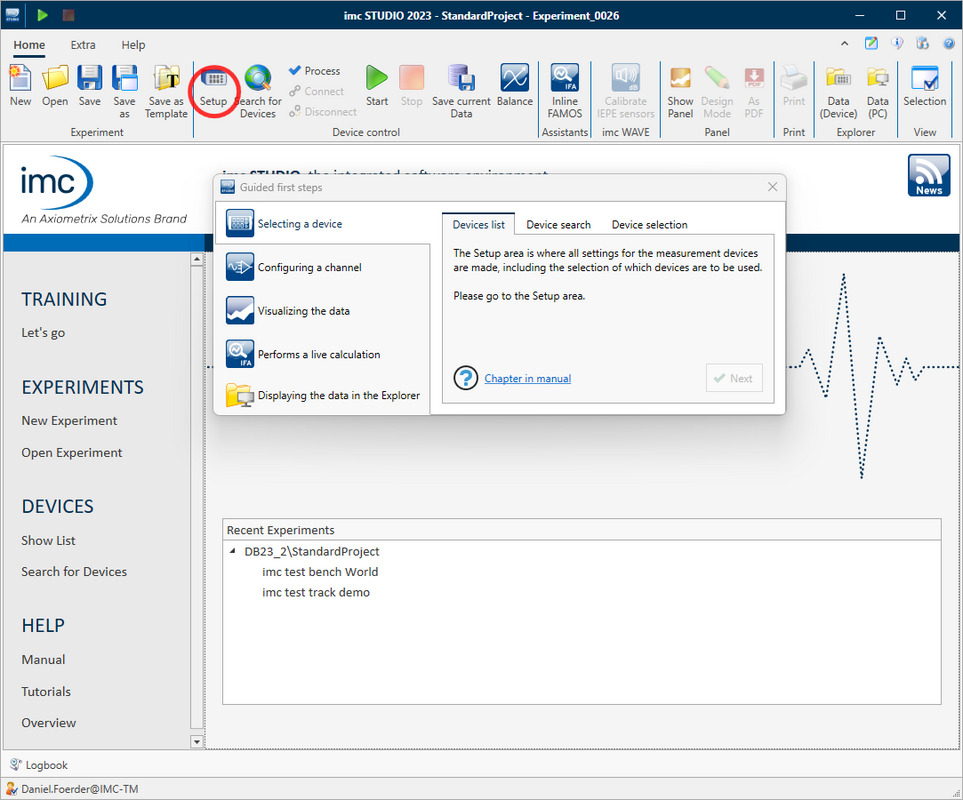
Guided Tour
A guided tour helps new users to get started and explains the functions of the software step by step - starting with the selection of the device and the channel configuration up to the display of the measurement data. The wizard can be started and repeated at any time on the imc STUDIO homepage with a click on "Let's go".
Tutorials

A variety of new and revised tutorials help users configure and set up simple to complex measurements.
Demo Experiments
Extensive demo experiments are now available to users as templates or for inspiration. The experiments are based on real customer projects and contain numerous impressive panels that show the diverse possibilities of imc STUDIO. The panels work with simulated live data and therefore do not require any connected DAQ hardware. The demo projects are available as stand-alone downloads on the imc website.
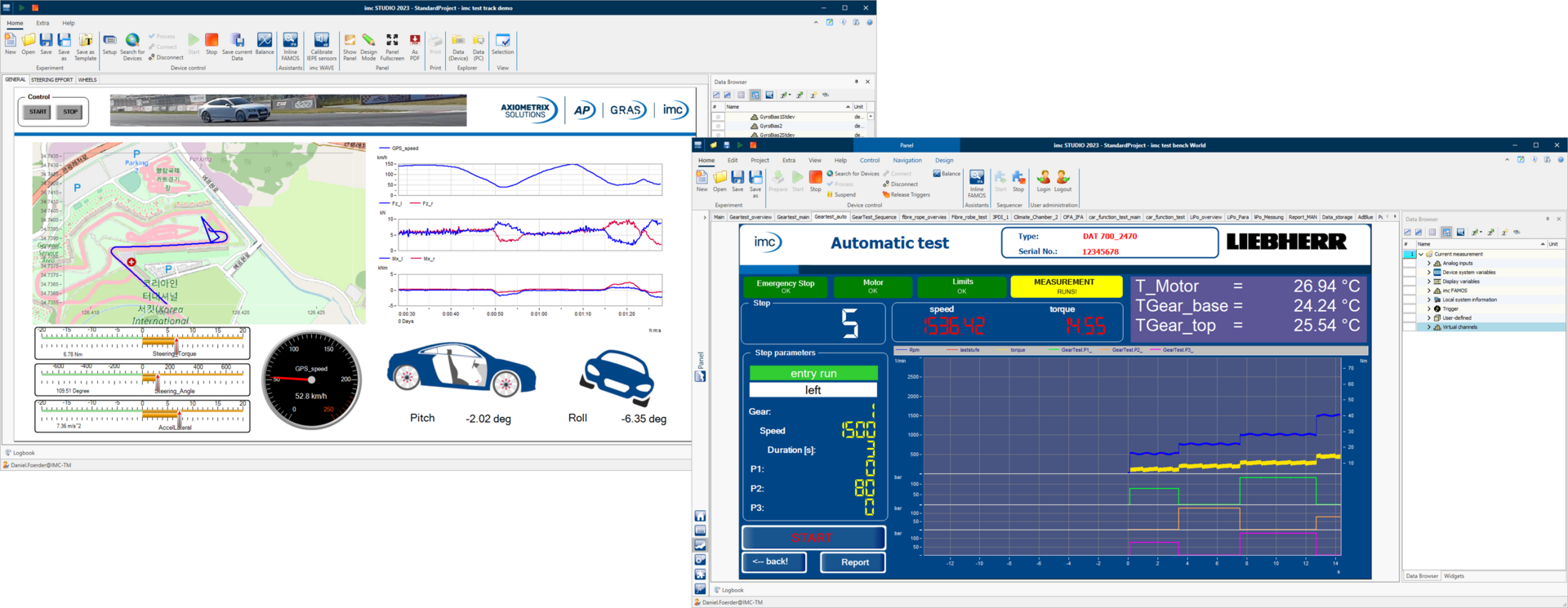
DAQ Emulation
imc STUDIO provides new functions for the test of application setups with live simulated data from synthetic or recorded data files.
Function Simulator
With the function simulator you can create synthetic data like a sine, square, saw, etc. to create test data.
Channel Loader
The Channel Loader allows to load and replay real imc FAMOS data files and use them in your experiments.
Enriching experiments
Experiments can be enriched with supporting files with extra information of any type like:
- Spreadsheets with control and test sequence parameters
- PDFs like data sheets, installation information etc.
- Photos with sensor placements
- Reference and setpoint data curves
- Report templates
- Dat files for Channel Loader (“File Replay”)
- Everything encapsulated within the experiment
- Relative paths for easier porting
Experiments can therefore be ported and distributed even more easily as templates, configs …
Improved Usability
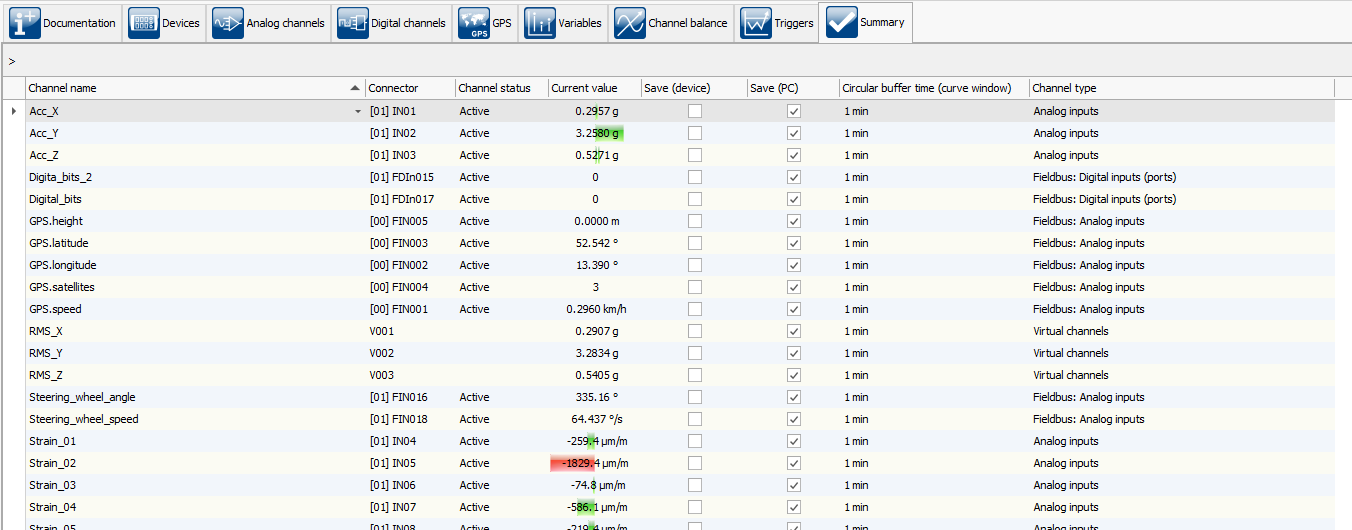
New Summary Page
The new "Summary" configuration page provides a comprehensive overview of the most important settings. Regardless of the channel type, this page shows all the configured channels, including the current value, overdrive warning and memory settings. This allows the user to get a quick and comprehensive overview without having to switch between different pages.
Intelligent Widget Presets
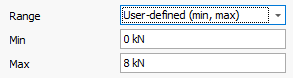
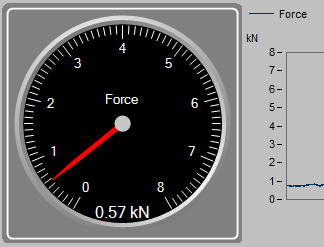
The scale of a widget now automatically adjusts to the channel it is linked to. For this purpose, the widget uses the "Display Range" channel property, newly introduced in imc STUDIO 2023. If no display range is configured, the widget uses the configured measurement range for intelligent presetting. This reduces manual configurations to a minimum.
Flexible Workspace Design

The new free workspace design allows docking multiple components of imc STUDIO on a single page. For example, combine setup table and panel on one page for better overview. This way you avoid switching between the different components.
Integrated imc WAVE Functionalities
Integrated NVH Analysis
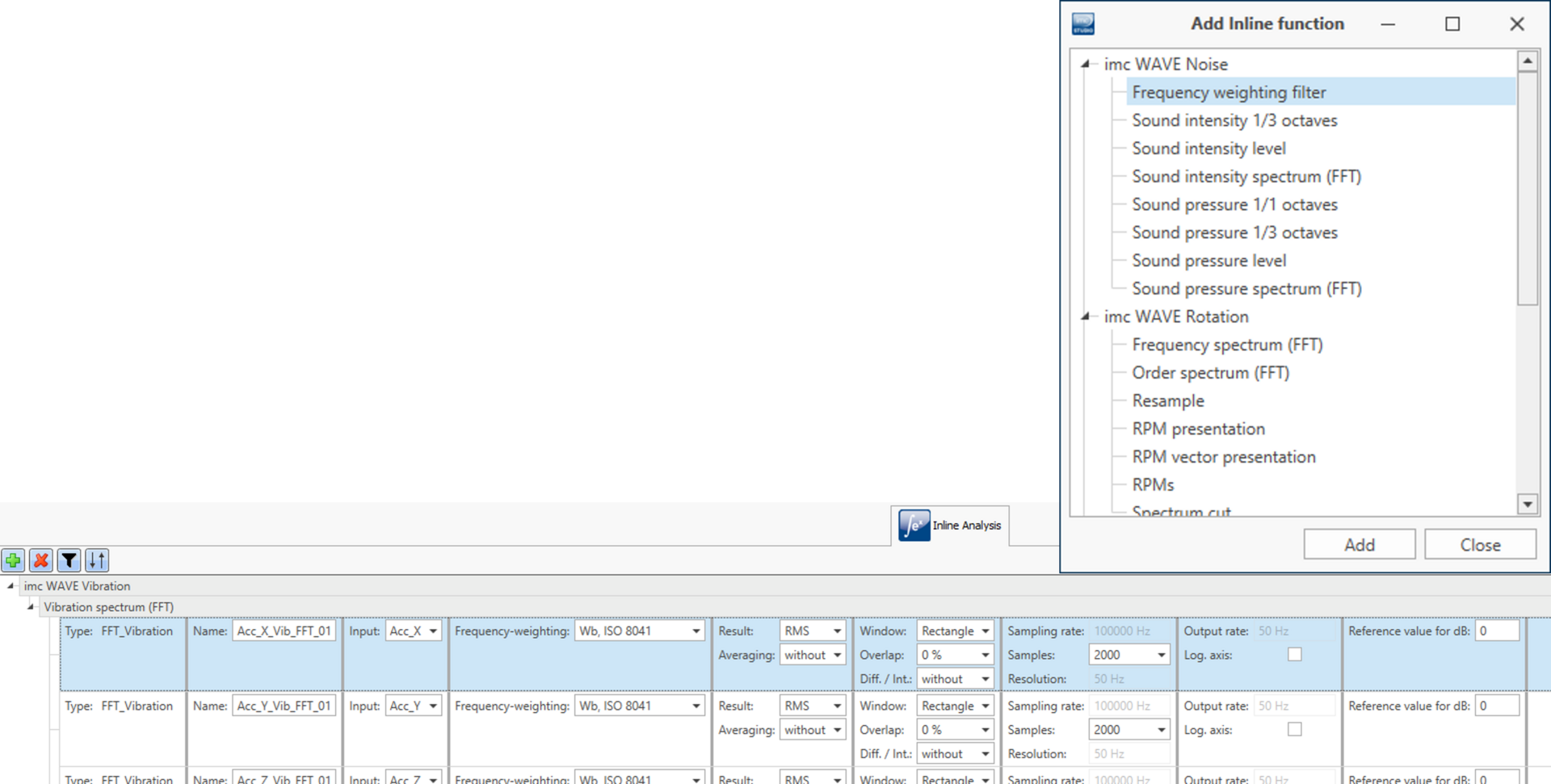
If you have an imc WAVE license, you can now use the NVH functions it contains as a ready-made inline function directly in imc STUDIO. Simply add an NVH analysis function to an existing channel and you get a ready-made result channel without having to program a line. This way you combine the comprehensive NVH functionality of imc WAVE with the flexibility and freedom of imc STUDIO.
Calibrating Microphones
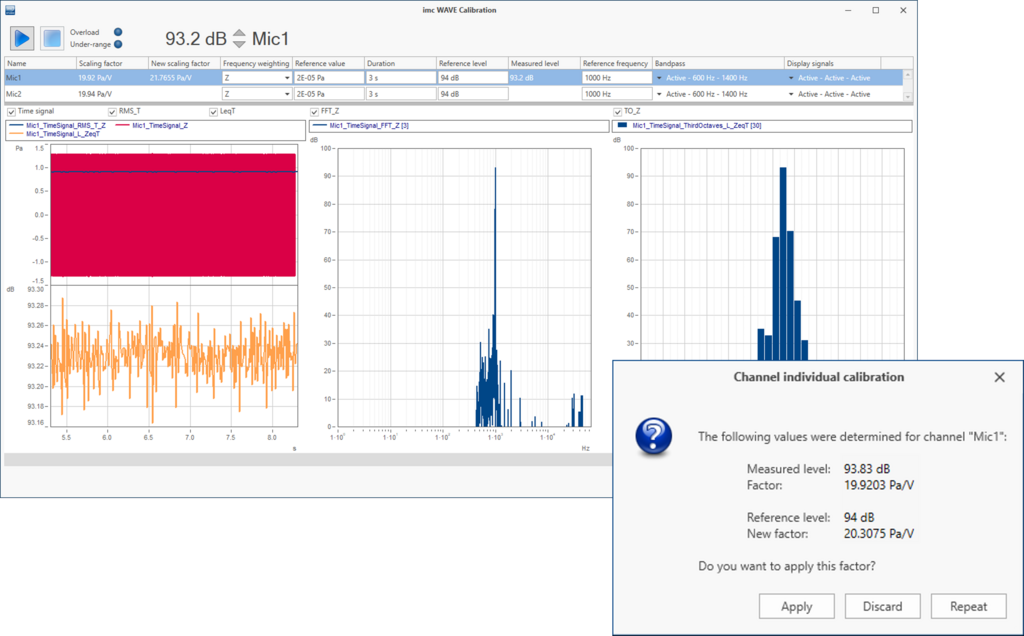
If you have an imc WAVE license, you can now also calibrate microphones and IEPE sensors in imc STUDIO.
Additional Packages
imc STUDIO Monitoring
imc STUDIO Monitoring is an additional edition of imc STUDIO intended for visualizing live data on multiple PCs. Typical applications are:
Connect to running measurements to check the current situation
Monitoring extensive measurement campaigns live with several people - each supervisor with his/her own focus
Powertrain Monitoring
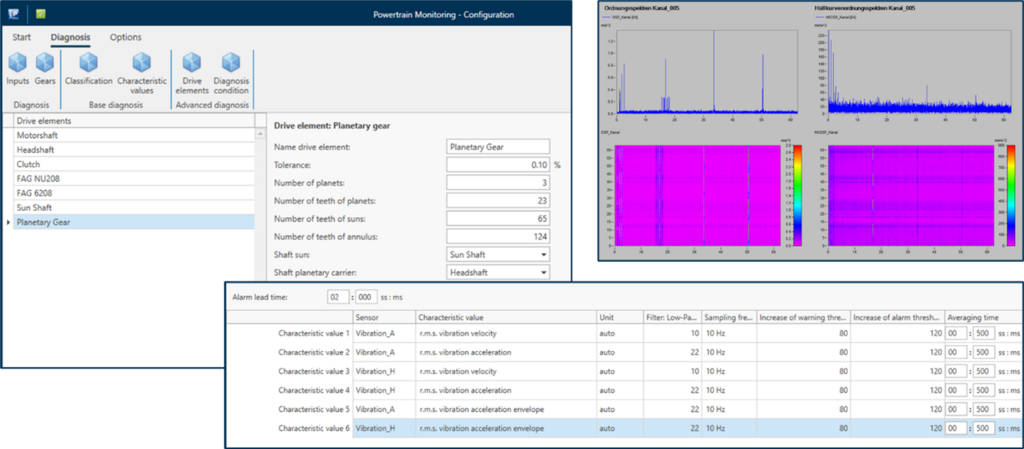
The Powertrain Monitoring add-on package enables developers and test engineers to monitor powertrains. Sophisticated vibration analyses make it possible to diagnose both gears and bearings. Based on a detailed kinematic model of the system, damage to bearings and gears can be identified at an early stage and, for example, individual ball bearing defects can be tracked down.

GoPro Camera
With the help of the new add-on "GoPro Camera", you can control GoPro cameras from imc STUDIO. Although the camera does not allow live image in imc STUDIO, you can start and stop the video recording. It is also possible to automatically transfer the video data to the PC after the measurement is finished. This allows you to evaluate measurement and video data together later in imc FAMOS.
Complete overview of all new features
For a complete overview of all new features, improvements and changes, please download the PDF below:


